Native macOS · iOS · Real-time AI assistant

When it matters most,
think clearly, answer sharply

In meetings, interviews, customer calls, and pitch defenses, YIVIDIA listens, transcribes, and auto-corrects in real time — then draws on your local knowledge base to hand you a ready-to-say answer in seconds. It can even play judge to help you rehearse.

✓ Files processed locally, not uploaded ✓ Free monthly credits ✓ Natural voice read-aloud
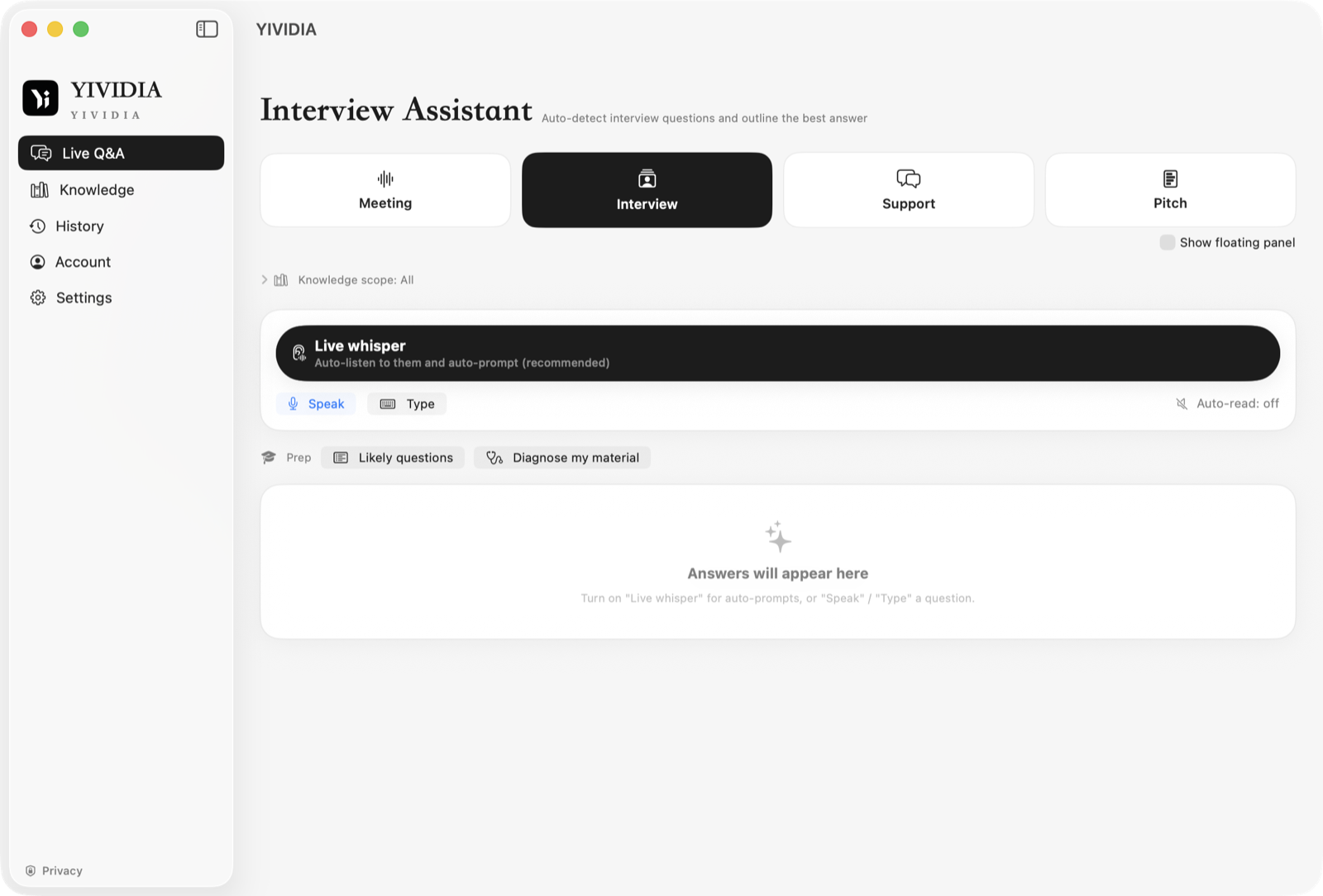
YIVIDIA on Mac
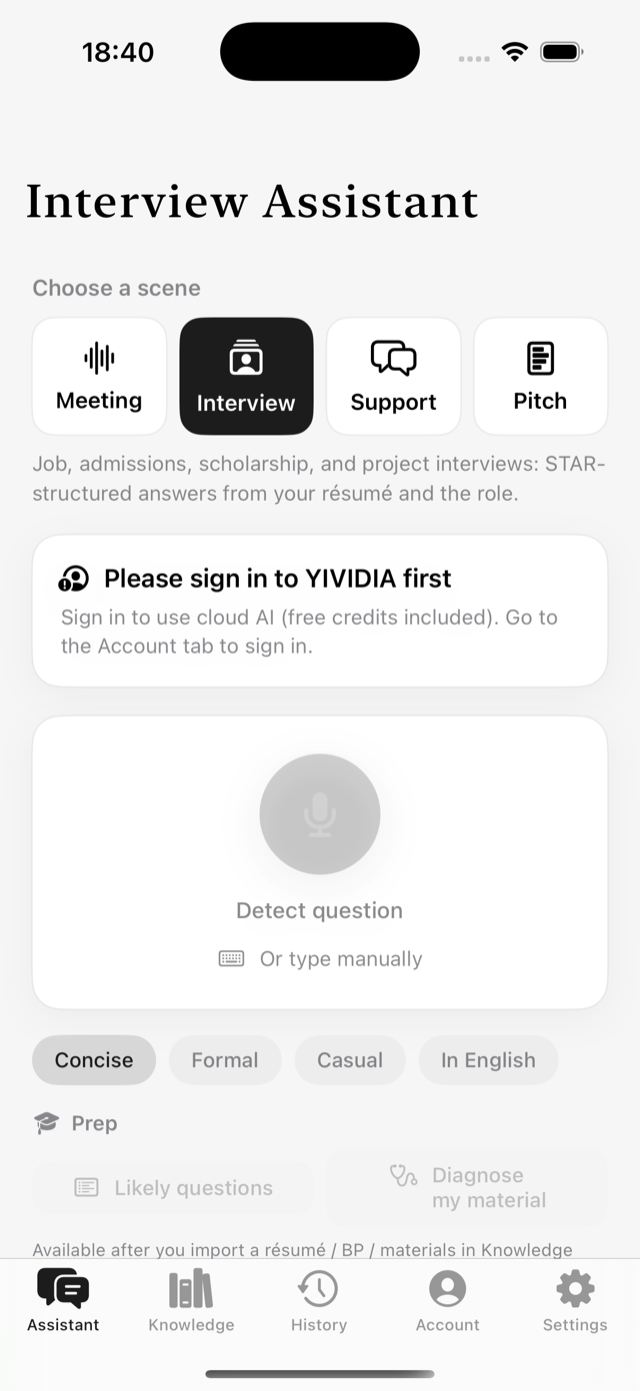
YIVIDIA on iPhone
Four scenes

One app for every moment you have to perform on the spot

Each scene is purpose-built for how it's really used — switch and go.

Meeting NotesTranscription

Transcribe meetings live, then "Ask AI" to generate structured notes, find action items, and look up what the other side said — with bilingual side-by-side translation.

Interview AssistantBest outline

Detects the interviewer's question and, using your résumé and projects, instantly drafts a structured, optimal answer outline. Prep beforehand with AI-generated questions and a materials diagnosis.

Customer SupportCloses deals

Recognizes the customer's voice or question and, from your product docs, gives accurate, polite, deal-friendly replies — resolving doubts while naturally guiding the next step.

Pitch DefenseActive sparring

AI reads your BP / slides and plays judge, asking and following up layer by layer. A delivery coach analyzes pace and filler words in real time, with a performance review at the end.

Core capabilities

Hand your on-the-spot reactions to a finely-tuned engine

Live transcription + auto-correction

Speech becomes text as you talk; a lightweight cloud pass fixes homophones and typos across all four scenes, with no extra credit cost.

Natural voice read-aloud

CosyVoice natural voices read answers back to you (for your ears only) — no robotic tone, multiple voices to choose from.

On-device knowledge retrieval

Import txt/md/pdf/docx/pptx; parsing and the vector index are built on your device, so answers are grounded and your files stay local.

Live whisper prompting

Continuously listens to the other side, auto-segments, retrieves, and prompts in seconds — a floating panel stays on top.

Privacy first

Knowledge base and index stay on your device, keys go in the Keychain; only the necessary text snippets reach the cloud, and recordings aren't saved by default.

Free credits to start

Free to download; sign in for free credits. Need more? Upgrade via in-app purchase, and invite friends to earn minutes for both of you.

On the go

iPhone, iPad, Mac
one account, practice anytime

Built in native SwiftUI for a consistent experience across all three. Rehearse interviews and defenses on your phone on the subway, then use live whisper prompting on your Mac when it's showtime — credits and knowledge base sync in the cloud.

  • Prep: AI question generation + materials diagnosis, regenerate in one tap
  • Delivery coach: real-time pace and filler-word analysis with tips
  • Dynamic Island / Live Activity: recording status at a glance
  • Progress tracking + achievement cards keep your practice on record
YIVIDIA Interview Assistant on iPhone
How it works

Three steps, zero learning curve

Sign in & import

After downloading, sign in to YIVIDIA and (optionally) import your résumé, BP, or product docs in Knowledge.

Pick a scene

Meeting / Interview / Support / Pitch Defense — pick the one for what you're doing now, no complex setup.

Go

Turn on Live Whisper or recording; answers and the transcript appear in the floating panel in real time — read along, or ask AI afterward.

Pricing

Start free, upgrade when you need more

Free to download and use after signing in, with free AI credits included. Minute packs never expire; the monthly plan can be canceled anytime. Payment is handled securely via Apple App Store in-app purchase.

macOS 13+ · iOS 16+ · Available worldwide on the App Store